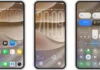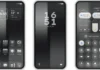




Xiaomi Quick Ball 17.0.1.1.1 is now listed, dated November 23, 2026. It is one universal APK for Android 9.0 and up. No changelog came with the listing, so I can’t say what changed from the previous build.
What Quick Ball does
Quick Ball puts a floating button on the edge of your screen. Tap it and a small menu opens over whatever you’re doing. You decide what goes in it: apps, screenshots, screen lock and similar actions. On a big phone, it saves the stretch to the top corner.
Xiaomi Quick Ball 17.0.1.1.1 Download details
| Detail | Information |
|---|---|
| Version | 17.0.1.1.1 |
| Version code | 170000111 |
| Release date | November 23, 2026 (GMT+0100) |
| Architecture | Universal |
| Minimum Android | 9.0+ |
| Screen DPI | nodpi |
| File type | APK |
Which variant do I pick?
You don’t have to. There is only one, and it runs on 32-bit and 64-bit chips and on any screen density. The only real limit is Android 9.0. On 8.1 or older it won’t install.
How to install
- Download the APK.
- Open it from Files or your browser downloads.
- Allow installs from this source if Android asks.
- Tap Install.
- Switch on Quick Ball in Settings and choose your shortcuts.
If it fails, check your Android version first. A different build already installed with another signature can block it too.
Pairing it with other Xiaomi apps
Quick Ball takes any installed app, so it’s most useful with the ones you open all day. Calendar, Recorder and Calculator are the obvious first picks. Mi Cleaner is worth a slot if storage fills up often. The Xiaomi Home app works well here too, since you can reach a device control without leaving a video or game.
If you sideload Xiaomi updates, Package Installer handles the install step. Shortcut behavior can differ between HyperOS versions. The app is built for Xiaomi’s own system, so on other ROMs, results may vary.