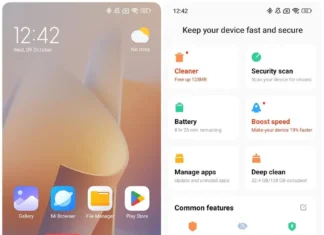





 A new Mi Cleaner build, 1067.0.261022.release, was listed on November 16, 2026. Mi Cleaner (
com.miui.cleaner) is the app behind the Cleaner button in Xiaomi’s Security app. Xiaomi can update it on its own, without a full system update.
Version details
| Detail | Info |
|---|---|
| App | Mi Cleaner |
| Version | 1067.0.261022.release |
| Build number | 101067 |
| Package | com.miui.cleaner |
| Architecture | arm64-v8a |
| Minimum Android | 8.0+ |
| Screen DPI | nodpi |
| Listed | November 16, 2026 (GMT+0100) |
The 261022 in the version looks like a yymmdd date, which would make this an October 22, 2026 build. Older versions such as 529.1.221214.stable use the same pattern. That is my reading of the number, not something Xiaomi states.
What Mi Cleaner does
It scans the phone and lists what it thinks you can delete:
- Cache files, old installation packages (APKs) and leftover app data
- Large files that take up space
- Duplicate photos, and in the Cleaner Lite version, blurry or badly exposed shots
You pick what goes. Nothing is removed until you confirm.
I couldn’t find an official changelog for build 1067. Release notes for earlier versions only say “fixed known bugs” and “optimized performance”, so I wouldn’t promise new features.
Which phones can use it
This is the arm64-v8a build, so it targets 64-bit phones. That covers nearly every Xiaomi, Redmi and Poco phone from the last several years. Android 8.0 as the minimum means older models can still update. The nodpi tag means one package fits all screen densities.
How to install it
- Download the arm64-v8a APK and check that the version and package name match the table above.
- Allow installs from your browser or file manager when Android asks.
- Open the file and tap Install. It should update the existing Cleaner app.
- Open Security, tap Cleaner and run a scan.
Only download from sources you trust. Cleaner is a system-integrated app, so it may not work properly on non-Xiaomi phones.
Where it fits in the Xiaomi ecosystem
Cleaner lives inside the Security app, next to battery, permissions and app lock. It also asks for permission to delete images, which is how the duplicate photo cleanup works with Gallery. Pair it with Xiaomi’s File Manager if you want to check big files before removing them.
Xiaomi also has Cleaner Lite on Google Play, a lighter app with a similar interface. And like the Xiaomi Recorder APK, Mi Cleaner gets updated outside the main HyperOS releases, so it’s worth checking for APK builds between system updates. If you’re setting up a new phone, our HyperOS 3 travel tips post covers the other storage and battery settings worth changing.
FAQ
Is Mi Cleaner safe? The official build is a Xiaomi system app. The risk is modified copies from random sites.
Can I uninstall it? Not normally, because it’s bundled with Security. You can remove it with ADB, but you lose the Cleaner function.