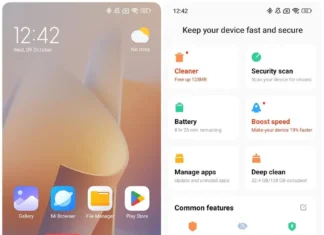







Xiaomi Screen Recorder 4.16.3.2.1 is the newest build of the screen recording app that ships on Xiaomi, Redmi and Poco phones. It is dated November 16, 2026. It’s one universal file with a minimum of Android 10, so you don’t need to pick an architecture.
Xiaomi Screen Recorder Version Details
| Attribute | Detail |
|---|---|
| Version | 4.16.3.2.1 |
| Version code | 41603021 |
| Architecture | Universal |
| Minimum Android | Android 10+ |
| Screen DPI | nodpi |
| Release date | November 16, 2026 (GMT+0100) |
| Package name | com.miui.screenrecorder |
What It Does
It records your screen, with internal audio, microphone audio or both. You can start it from the Control Center toggle or the app icon. It’s built for Xiaomi devices, so don’t count on it working well on other brands.
There’s no official changelog for this build, so I can’t tell you what changed. Older versions have a similar look and feel, and the Android requirement has risen over time. Version 1.8.3 ran on Android 7.0. Version 4.15.2.7.1 was uploaded in January 2026, and this build raises the minimum to Android 10.
Should You Install It?
Get it if you have a Xiaomi, Redmi or Poco phone on Android 10 or newer and want a recorder with no ads or watermarks. It’s also worth a look if your phone is missing the app, or if the update hasn’t reached your region yet. If you’re on an older Android version, this build won’t install.
How to Install
- Download the 4.16.3.2.1 APK.
- Allow installs from your browser or file manager in Settings.
- Open the file and tap Install. It updates the version you already have.
- Launch the app and grant the audio and storage permissions.
Before you install, check that the package name is com.miui.screenrecorder and that the signature matches the original.
Works With the Rest of Your Xiaomi Setup
- Control Center: Start a recording from any screen without opening the app.
- Xiaomi Recorder: This one records audio only, such as voice notes and meetings. Screen Recorder handles video. See our Xiaomi Recorder 8.2.0 post for that app.
- Gallery and Xiaomi Cloud: Clips land in your Gallery, where you can trim them and back them up to Xiaomi Cloud.
- Mi Cleaner: Screen recordings fill storage fast. Mi Cleaner makes it easy to clear old ones.
- Xiaomi Pad: The same recorder runs on Xiaomi tablets, which helps for lectures and slides.
- Battery: Long recordings drain the battery. Our Xiaomi phone travel tips post covers the HyperOS battery settings.
Pros and Cons
Pros
- Free and ad-free
- Records internal audio and the microphone
- Universal build, so no architecture to pick
Cons
- Needs Android 10 or newer
- Made for Xiaomi devices
FAQ
Is it safe?
Only if the file is the original signed package. Check the signature before you install.
Will it run on a Samsung or Pixel?
It might, but it’s built for Xiaomi’s system, so results vary.
Is it the same as the Xiaomi Recorder app?
No. Screen Recorder captures video of your screen, and Recorder captures audio.