






Xiaomi started rolling out HyperOS 4 globally in early November 2026. Samsung’s One UI 9, also built on Android 17, is still reaching more Galaxy devices. Both add new customization, AI and security features. Before you switch, plan for the data transfer, your accessories and the tools you use every day.
HyperOS 4 and One UI 9 rollout
HyperOS 4
Xiaomi announced the global schedule on November 3 and 4, after the China release. About 80 phones and tablets get the update in three waves:
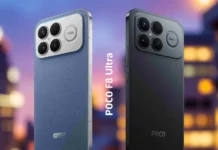
- Early November: Xiaomi 17 series, Redmi Note 15 series, POCO F8 series
- Mid-November: Xiaomi 15T series, POCO F7 and F9 series, POCO Pad M1 and X1
- December: the remaining devices, including the Xiaomi 13 series and several Redmi and POCO tablets
Timing and features vary by model and region. Xiaomi says the full Soft Light Glass effects need a flagship chip such as the Snapdragon 8 Elite or Dimensity 9500 or newer. Other eligible phones get a reduced version.
One UI 9
One UI 9 launched on the Galaxy Z Fold8, Fold8 Ultra and Flip8 in July. The wider rollout started with the Galaxy S26 series on September 16. The Galaxy A34 got it in South Korea on November 4 and in more markets, including India, from about November 9.
Being eligible doesn’t mean you get the same features or the same years of support. Xiaomi and Samsung run different update schedules and security policies, so the software version tells you only part of the story.
Features compared
| Feature | HyperOS 4 | One UI 9 |
|---|---|---|
| Interface | Soft Light Glass, resizable folders, widget stacking, flexible lock screen clocks | Galaxy customization, Quick Panel options, foldable layouts |
| AI | AI Voice Notes, AI Speech Recognition, live voice translation, Super XiaoAI 2.0 | Now Nudge, Now Brief, Call Brief, My FanCam |
| Productivity | To-do and key-point extraction from notes, Recorder meeting summaries | Structured recording summaries, DeX improvements |
| Security and privacy | Post-quantum key delivery in some encrypted scenarios, confidential cloud AI processing | Knox protections, Privacy Alerts |
| Data transfer | Mi Mover | Smart Switch |
All of this comes from the manufacturers, and none of it is available everywhere. AI tools can depend on the hardware, language, region or account. Xiaomi’s China-only assistant features also differ from what it offers globally.
Moving your data from Xiaomi to Galaxy
Samsung Smart Switch copies supported contacts, messages, photos and files from Android phones to Galaxy devices. Neither Smart Switch nor Xiaomi’s Mi Mover guarantees that app settings, credentials or protected data will come across.
Before you wipe the old phone:
- Back up your messaging apps, such as WhatsApp and Telegram.
- Make sure you can still get into your authenticator apps and recovery codes.
- Pair your wearables and accessories with the new phone.
- Save anything that lives only in Xiaomi apps or Xiaomi’s cloud.
What happens to your other Xiaomi devices
Most Xiaomi products keep working after you switch. The deeper features need a Xiaomi phone.
Robot vacuums, air purifiers, cameras and sensors run through the Xiaomi Home app, which is available on Android, including Galaxy phones. Re-pair each device instead of assuming its settings will carry over.
Xiaomi TVs accept casting and basic control from any Android phone. The HyperConnect handoff is built for Xiaomi phones and tablets, so you lose it on a Galaxy.
Xiaomi Watches and Smart Bands pair with other Android phones through Xiaomi’s companion app, and Xiaomi Buds connect over Bluetooth. Notifications and core audio work. Health sync, quick replies, pop-up pairing and tuning options can vary by model.
Xiaomi Pad features such as screen extension and file handoff need a Xiaomi phone. If you rely on HyperConnect, a Xiaomi phone running HyperOS 4 may suit you better than a Galaxy.
Security and workplace compatibility
Samsung pairs Knox with One UI 9 Privacy Alerts. Xiaomi points to post-quantum key delivery in some end-to-end encrypted scenarios, on-device privacy storage and confidential cloud processing for AI. These are documented features, and they don’t show which platform is safer in daily use.
Companies should check mobile device management compatibility, regional firmware and required security features before rolling out new phones.
How we compared them
This comparison uses manufacturer specifications, rollout schedules, documented security features and migration tools, as of November 12, 2026.
Before you retire the old phone, check update support for the new model, regional limits on the AI features you want, and whether your accessories pair.