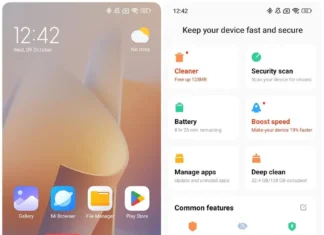




HyperOS 4 is based on Android 17 and began rolling out globally on November 4, 2026, in phases. The Soft Light Glass redesign gets most of the attention. The smaller changes are easy to miss, and a few of them are more useful than the redesign.
Not every phone gets everything. Some features need a flagship chip, and a few AI tools were announced only for mainland China.

AI Features
1. AI Inspiration Ball
A floating tool that reads what is on your screen and suggests something to do with it. Point it at an address and it can open Maps. Point it at a date and it can create a calendar entry. It can also find shopping links. You drag to use it, which makes it close to Circle to Search.
2. Super XiaoAI 2.0 and Expert Mode
The assistant now runs on Xiaomi’s MiMo model, with longer memory and the ability to act across apps. Expert Mode is for tasks with several steps, like planning a trip or building a presentation. It needs Super XiaoAI app version 8.1 or newer and works on supported devices only.
3. Recorder and Voice Notes
Recorder can summarise a recording. AI Voice Notes pulls conclusions and to-do items out of a note, including notes where you inserted images.
Home Screen and Lock Screen
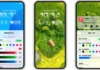
4. Widget Stacking
Put weather, calendar and reminders in one slot and swipe up or down to flip between them. It works on supported devices.
5. Resizable Folders
Drag the corner of a folder to resize it. ColorOS and OxygenOS users will recognise this. Xiaomi also has preset layouts.
6. Stacked Lock Screen Notifications
Busy lock screens now group notifications into stacks. The flexible clock styles are a separate matter: only certain flagships, such as the Xiaomi 17 series, get them.
System and Connectivity
7. Code/Number Island
A three-finger swipe brings up verification codes, numbers and other recognised information. It is handy when you need an OTP and don’t want to open Messages.
8. HyperIsland with 130+ Services
HyperIsland, the live-activity area around the camera cutout, now supports more than 130 apps and services. That includes live navigation and delivery status.
9. Soft Light Glass
Translucent layers and small animations across the interface. Reports say it needs a Snapdragon 8 Elite, Dimensity 9500, XRING O1 or newer, so mid-range phones will likely miss it.
10. Memory Preloading
HyperOS 4 preloads frequently used apps so they open faster. Xiaomi claims a 33% improvement in preloading after eight hours of continuous use. That is a company figure, and independent tests will show whether it holds up.
How HyperOS 4 Connects to Other Xiaomi Devices
Super XiaoAI 2.0 runs on Xiaomi phones, tablets, Xiaomi PCs and Apple Silicon Macs. Every device must be signed in to the same Xiaomi account and be on the same network.
HyperConnect handles hardware sharing. You can use a phone camera on a tablet, or draw on a Xiaomi Pad and see it on a PC inside WPS. If you own a Pad or a Xiaomi PC, update your phone first.
Which Devices Get HyperOS 4?
Xiaomi, Redmi and POCO phones are all in the rollout, in stages. Older and budget models may get a reduced feature set, so check your model’s schedule before expecting everything above.