




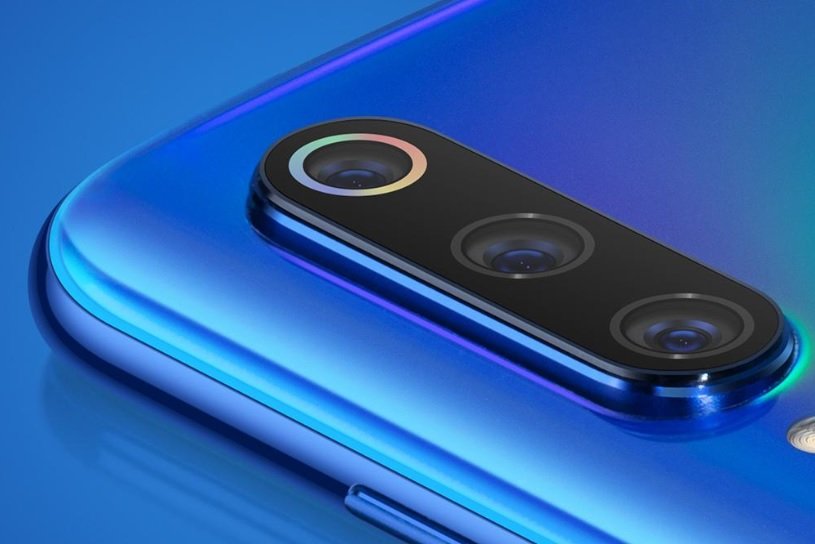
Google Camera for Xiaomi means a GCam port: an unofficial copy of Google’s Pixel Camera app that developers modify so it runs on non-Pixel phones. It can give Xiaomi, Redmi and POCO phones Google’s HDR+ and Night Sight processing. Whether it works well on your phone comes down to the model, so check Camera2 API support before you download anything.
What is GCam?
GCam is what the community calls Google’s camera app. Google renamed it Pixel Camera in October 2023 with the Pixel 8, and it officially runs only on Pixel phones. The latest official releases are on the 10.x line.
Since Google doesn’t build it for anyone else, developers like BSG release ports. These trail the official version, so a port labeled 9.x is normal and not a sign it’s outdated junk.
Does Google Camera work on Xiaomi phones?
On many, yes. On all of them, no. The requirement is Camera2 API support, and most Xiaomi phones ship with it switched on.
To check yours, install a Camera2 API probe app from Google Play. You want to see “Full” or “Level 3” as the hardware support level.
Even when a port runs, it comes with trade-offs. Some ports can’t reach the ultra-wide or telephoto lens. Video is often worse than Xiaomi’s stock camera. And individual features may crash or disappear depending on the port and your chipset.
GCam features on Xiaomi phones
| Feature | What it does | Xiaomi note |
|---|---|---|
| Night Sight | Merges several frames for brighter, cleaner low-light shots | Usually why people install GCam at all |
| Astrophotography | Long-exposure night-sky mode | Needs a tripod and a dark sky; port-dependent |
| HDR+ | Combines frames for better dynamic range | The most visible improvement in daylight |
| Portrait mode | Separates subject from background for bokeh | Quality varies a lot by model |
| Top Shot / Motion Photos | Saves a short clip and suggests the best frame | Support differs between ports |
| Super Res Zoom | Computational zoom from multiple frames | Better than plain digital zoom, not optical |
| Panorama | Wide stitched shots | Works on most ports |
| RAW and manual controls | ISO, shutter speed, focus, RAW capture | Varies by port |
How to install Google Camera on a Xiaomi phone
- Check Camera2 API with a probe app, as above.
- Open Settings > About phone and note your Android and HyperOS (or MIUI) version.
- Pick a port from a maintainer you trust that matches your Android version and phone.
- Android now asks per app instead of using a global “Unknown sources” switch. Turn on “Install unknown apps” for your browser or file manager.
- Install the APK, open it and grant the camera, microphone and storage permissions.
- If the port offers a config file for your model, load it. It can fix color problems and unlock features.
- Shoot the same scene in GCam and in the stock camera, and keep whichever you like better.
GCam vs the stock Xiaomi Camera
| Stock Xiaomi Camera | GCam port | |
|---|---|---|
| Lenses | All of them | Depends on the port |
| Night photos | Good | Often stronger |
| Video | Full OIS and stabilization | Often weaker |
| Tuning | Leica on flagship models | Google’s HDR+ look |
| Stability | Official, updated with HyperOS | Can break after updates |
On some flagships, the stock app with Leica tuning simply wins. I’d test both before you commit to a port.
Where GCam fits in the Xiaomi ecosystem
GCam swaps out the camera app and nothing else, so the rest of your Xiaomi setup still matters.
HyperOS updates are the big one. HyperOS 4 started rolling out in early November 2026 to the Xiaomi 17 and 15 series and several POCO models. The Xiaomi 14 and 13 series and the Redmi Note 14 Pro models get it in December. A port that works today can stop working after the update, so re-check it, and look for a newer build if it breaks. [Link: HyperOS 4 update guide]
Then there’s where your photos go. Decide whether you back up through Xiaomi Gallery and Xiaomi Cloud or through Google Photos. [Link: backup guide]
Redmi and POCO phones deserve their own check. A port that runs fine on a Xiaomi flagship may fail on a Redmi with the same chipset. [Link: Redmi and POCO GCam list]
And if you mostly want every lens, Leica tuning and dependable video, Xiaomi’s own camera app may be the better choice. [Link: Xiaomi Camera app guide]
Is GCam safe?
A port is unofficial software that asks for camera, microphone and storage access, so be picky about where it comes from. Download only from maintainers you trust, and scan the file before you install it.
Installing an APK on its own doesn’t normally affect your warranty. Unlocking the bootloader or flashing software might. If you plan to go that far, read Xiaomi’s warranty terms for your region first.
FAQ
Is Google Camera free for Xiaomi?
Yes, GCam ports are free.
Can I install the official Pixel Camera from Google Play?
Not reliably. It is officially supported only on Pixel phones.
Will GCam work on every Xiaomi, Redmi and POCO?
No. Your phone’s Camera2 API level, chipset and software version all matter.
Is GCam better than the Xiaomi camera?
For night shots and HDR, often. For video and switching between lenses, usually not.
Will it still work after a HyperOS update?
Sometimes. If it stops, update the port or load a newer config.