










Redmi Note 15 series just went global — the 15, 15 Pro, 15 Pro plus, here a the Redmi Note 15 Pro Plus Google Camera 9.4 to make you pictures great. The Pro plus’s 50MP triple camera does a decent job out of the box, but if you want more control over your shots, you can sideload a Google Camera (GCam) mod. Below is the 9.4 build for the Redmi Note 15 Pro Plus, plus a couple of alternatives in case it acts up.
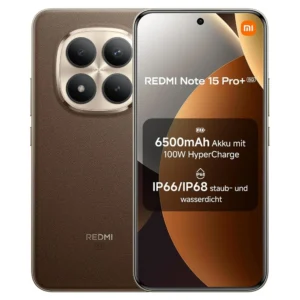
Redmi Note 15 Pro Plus Specs
The global Redmi Note 15 Pro+ has a 6.83-inch 1.5K AMOLED screen (120Hz, up to 3,200 nits) under Gorilla Glass Victus 2. Inside is a Snapdragon 7s Gen 4 with 8GB or 12GB of RAM and up to 512GB of storage, but no microSD slot. You get a 6,500mAh battery with 100W charging, Android 15 on HyperOS 2, and an IP68/IP69K rating. Xiaomi promises four years of OS updates and six of security patches. Be careful which version you buy, because the China model has a bigger 7,000mAh battery, slower 90W charging and up to 16GB of RAM.
The camera is also where the two versions split most. The global phone has a 200MP main sensor (f/1.7, OIS) plus an 8MP ultra-wide, while the China one has a 50MP main sensor and a 2.5x telephoto. If you care about zoom, that’s the China version’s advantage. Both have a 32MP selfie camera. Video from the main camera maxes out at 4K/30, the ultra-wide at 1080p/30. Early hands-on impressions were good for low light, and 4x zoom on the global model reportedly holds up. I’d still wait for full camera tests before treating that as settled.
Why Bother With GCam
The stock camera is genuinely good — AI selfie mode, AI Bokeh, sharp daylight shots, and low light isn’t bad either. Where it falls apart a bit is the ultra-wide lens after dark; it gets soft and loses detail fast. That’s usually where GCam earns its keep — better dynamic range, cleaner night shots, less aggressive smoothing.
Good GCam ports for Xiaomi phones have gotten harder to track down. Here’s what’s actually working right now for the Redmi Note 15 Pro Plus.
Redmi Note 15 Pro Plus Google Camera 9.4 Download Links
Camera2 API comes enabled out of the box on the Redmi Note 15 series, so you don’t need root to get GCam running.
- Download GCam for Redmi Note 15 (MGC_6.2.030_RazerPhone2_V5.apk)
- Download GCam for Redmi Note 15 Pro & Pro+ (MGC_8.3.252_Festival_001-004.apk) [Best]
- Download Google Camera 9.4 for Redmi Note 15 Series (AGC9.4.23_V1.0.apk) [Not Stable]
The APK by itself won’t do much — you need a config file tuned for this phone’s sensors.
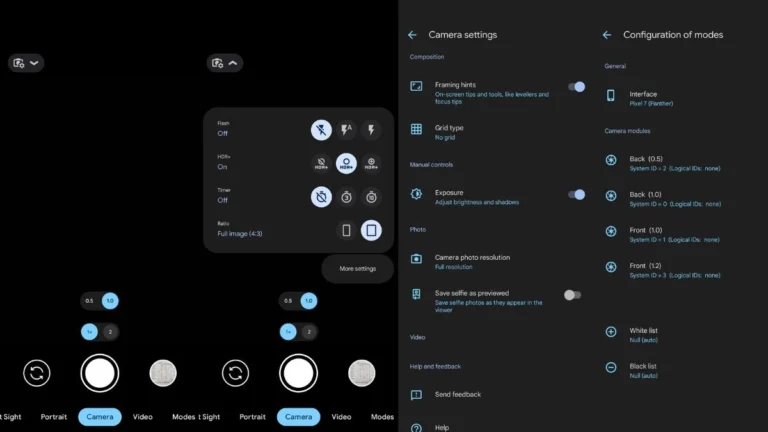
Recommended Config for Redmi Note 15 Pro Plus Google Camera 9.4
MGC_8.3.252_Festival_001-004.apk – Download Link
- Download the config file.
- Open GCam, double-tap the blank space next to the shutter button.
- Select the config file from your Downloads folder, then tap Restore.
- Close the app and relaunch it from the app drawer.