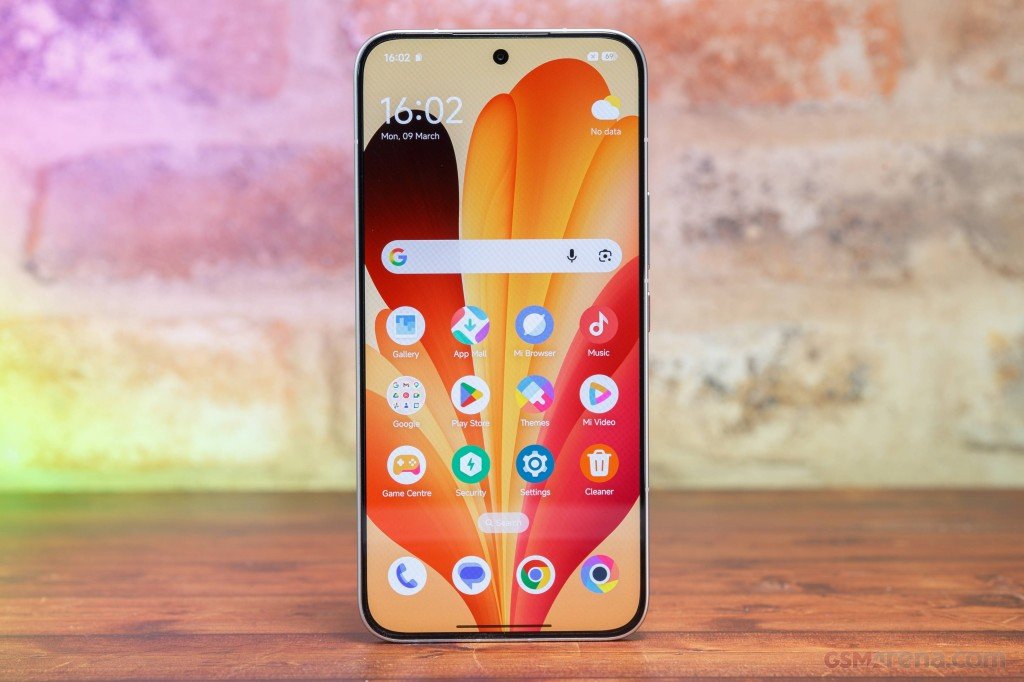









Redmi Note 17 Pro Max Google Camera is worth a look if the stock camera isn’t giving you what you want at night or on the ultra-wide lens. Xiaomi’s new Note series has four phones: the Redmi Note 17 4G, Note 17, Note 17 Pro, and Note 17 Pro Max. The Pro Max sits at the top with a 50MP main camera, a Snapdragon 6 Gen 5 chip, a 1.5K AMOLED screen, a 10,000mAh battery, and IP68/IP69K water and dust resistance.

Redmi Note 17 Pro Max Specifications
| Feature | Details |
|---|---|
| Display | 6.83-inch 1.5K AMOLED (2772 x 1280), 120Hz, up to 3,500 nits peak, Gorilla Glass Victus 2 |
| Chipset | Qualcomm Snapdragon 6 Gen 5 |
| RAM / Storage | Up to 12GB RAM, up to 256GB storage (varies by market) |
| Rear camera | 50MP main (OIS) + 8MP ultra-wide |
| Front camera | 32MP |
| Battery | 10,000mAh silicon-carbon (9,210mAh in some markets) |
| Charging | 100W wired, 27W reverse wired, bypass charging |
| Durability | IP66/IP68/IP69/IP69K |
| Software | Android 16, HyperOS 3 |
| Size / Weight | About 8.65mm thick, about 225–230g |
| Colors | Black, Blue, Green, Purple (varies by market) |
Is the Stock Camera Good Enough?
Mostly, yes, in daylight. Last year’s Redmi Note 15 Pro+ had a 200MP main sensor, and this year’s phone drops to 50MP, but the wider aperture and OIS make up for some of that. The second camera is an 8MP ultra-wide. There’s no telephoto lens, which is the phone’s biggest weakness for photography.
Daylight shots look good, with solid dynamic range and contrast. The main sensor also handles low light well. The ultra-wide lens is where things fall apart at night. The stock app runs on HyperOS and has AI tools like AI Bokeh, AI Erase, and AI Beautify.
If night shots and ultra-wide photos matter to you, sideloading the Pixel Camera app (a GCam mod) is the usual fix.
Good GCam ports for Redmi phones have gotten harder to find. Only a few support the newest chipsets. The Note 17 series has Camera2 API support out of the box, so you can install a mod without rooting.
Download Redmi Note 17 Pro Max Google Camera
- GCam for Redmi Note 17: MGC_6.2.030_RazerPhone2_V5.apk
- GCam 9.7 for Redmi Note 17 Pro Max [New]: MGC_9.7.047_V5_MGC.apk
- GCam for Redmi Note 17 Pro series [Best]: MGC_8.3.252_Festival_001-004.apk
- Google Camera 9.4 for Redmi Note 17 series [Not Stable]: AGC9.4.23_V1.0.apk
Best Config File
The APK alone won’t give you good results. Redmi Note 17 Pro Max Google Camera needs the right settings to run properly .
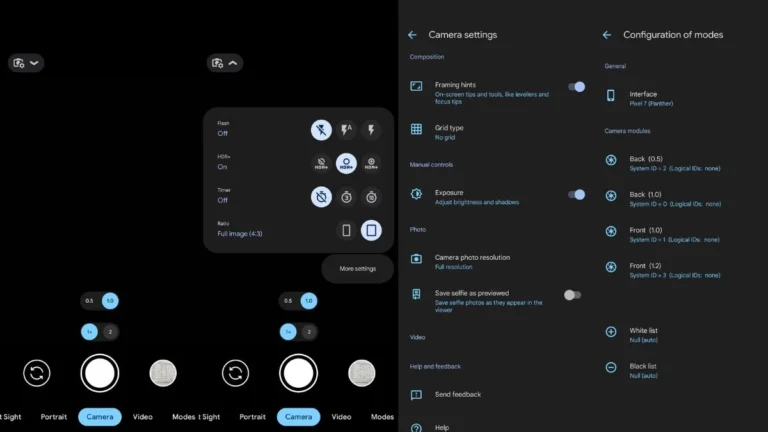
Config for MGC_8.3.252_Festival_001-004.apk: Download config file
How to Load the Config
- Download the config file from the link above.
- Open Google Camera and double-tap the blank black area next to the shutter button.
- Pick the config file from your Downloads folder and tap Restore.
- Close the app, then open it again.
If the app crashes, try a different version from the list. The 9.4 build is the least stable, and GCam results can vary on the ultra-wide lens, so the main camera is the safest place to start.