









Mijia Smart Air Purifier 4 Compact Review: buying an air purifier isn’t just a Delhi winter ritual anymore. Delhi’s AQI hit 999 one morning last November, and even in this year’s monsoon a June reading stood at 135. But bad air doesn’t stop at the capital. Dust and smoke are a problem across India, and in Bengaluru, pollen can make your nose wish it had taken the day off.
Xiaomi has sold air purifiers here before. Now it’s trying home appliances again under the Mijia name, starting with two models: the Smart Air Purifier 6 and the smaller 4 Compact we’re reviewing.
At ₹7,999, the Compact is a reasonable first purifier. It’s cheap enough that you could buy one for the bedroom and another for the study instead of expecting a single machine to handle the whole house. The question is whether this little purifier has enough puff to make that work.
Quick specs
| Feature | Details |
|---|---|
| Price in India | ₹7,999 |
| Dimensions | 22 cm wide, 35.5 cm tall |
| Weight | About 2.2 kg |
| Filter | Pre-filter, HEPA and activated carbon |
| Filtration claim | 99.97% of particles down to 0.3 microns |
| Particle CADR | 230 m³/h |
| Coverage | 400+ sq ft (based on two air changes per hour) |
| Sleep Mode noise | 20dB |
| Power | 27W (about 0.7kWh over 24 hours at maximum) |
| Certification | TÜV Rheinland Allergy Care |
| Smart features | Xiaomi Home app, Alexa, Google Assistant |
Mijia Smart Air Purifier 4 Compact design
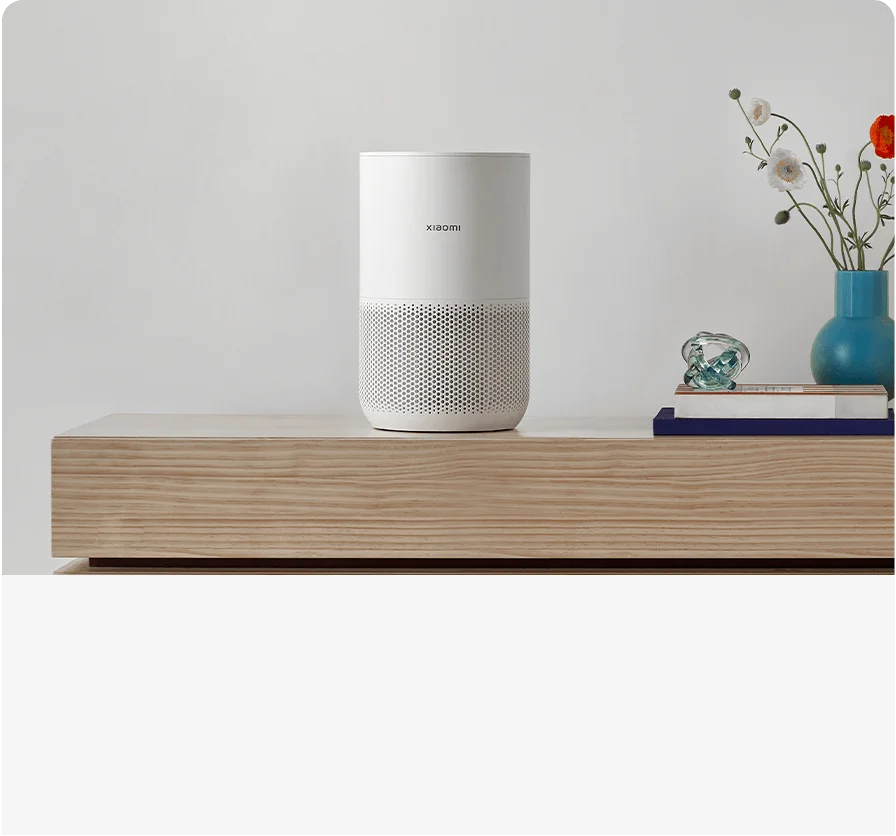
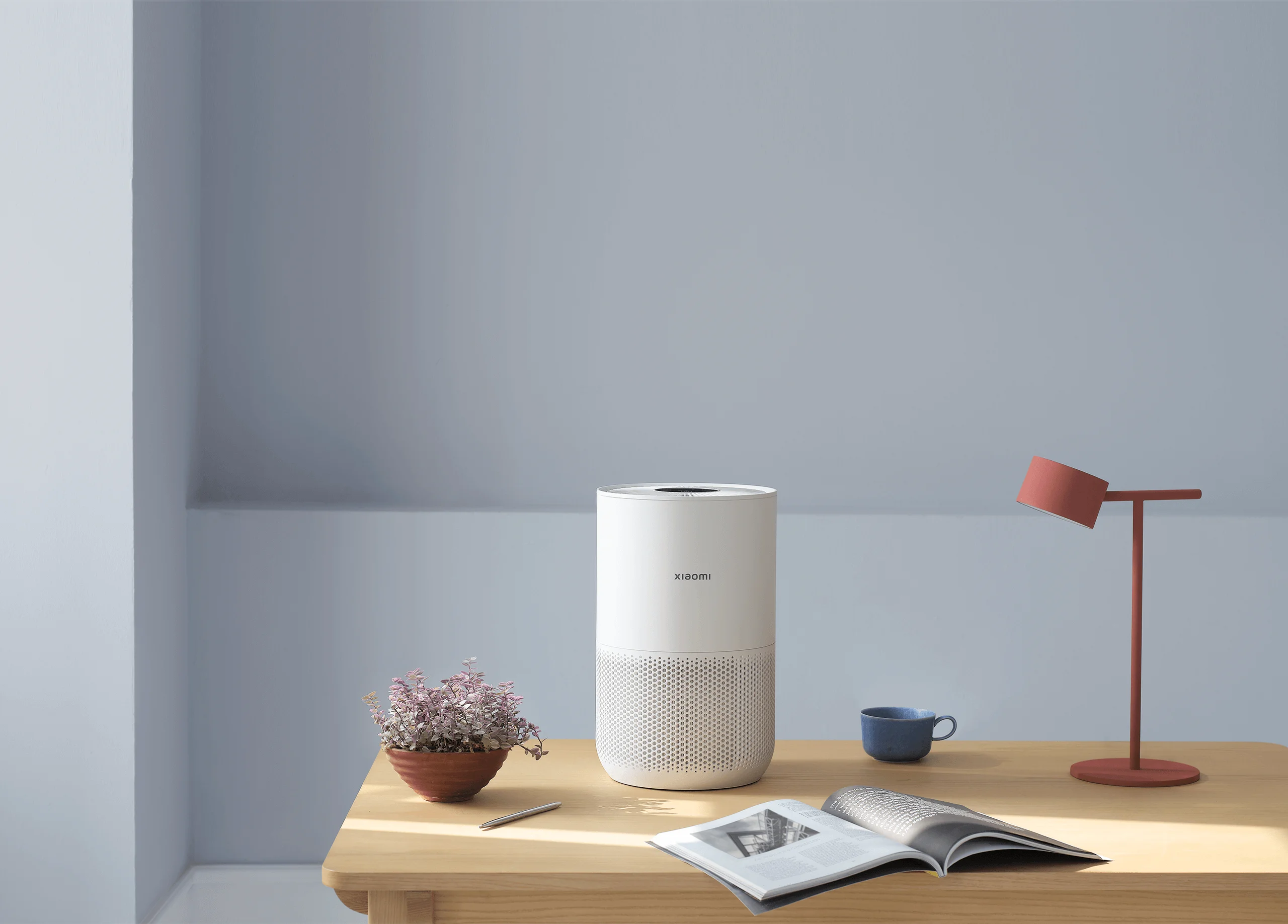
It looks like a white cylinder that has decided to do something useful with its life. Basically a stylish little bin. A bedside table, desk or patch of floor will do.
There’s no carrying handle, which is mildly annoying if you plan to move it between rooms. At 2.2 kg it’s easy to pick up anyway, so I never minded much.
Set-up takes a minute. Peel the protective wrapping off the filter, plug it in and tap the power control. Pairing it with Xiaomi Home on your phone takes a bit longer, but it makes everything after that easier.
Air comes in through vents around the lower half and leaves through the grille on top, so give both some room. Wedge it into a tight corner and then complain it isn’t cleaning the room, and that’s on you.
The particulate matter sensor sits in an opening at the back. It’s easy to miss until dust builds up around it. Wipe it down now and then, since Auto Mode depends on it to read the air.
The black panel on top has touch controls for power, lighting, and Auto, Sleep and Manual modes, along with status icons and a light strip that changes colour with air quality. Green means 0 to 35, yellow 36 to 75, orange 76 to 150, and red is anything above 150. If you see red, the purifier has work to do.
Filtration performance
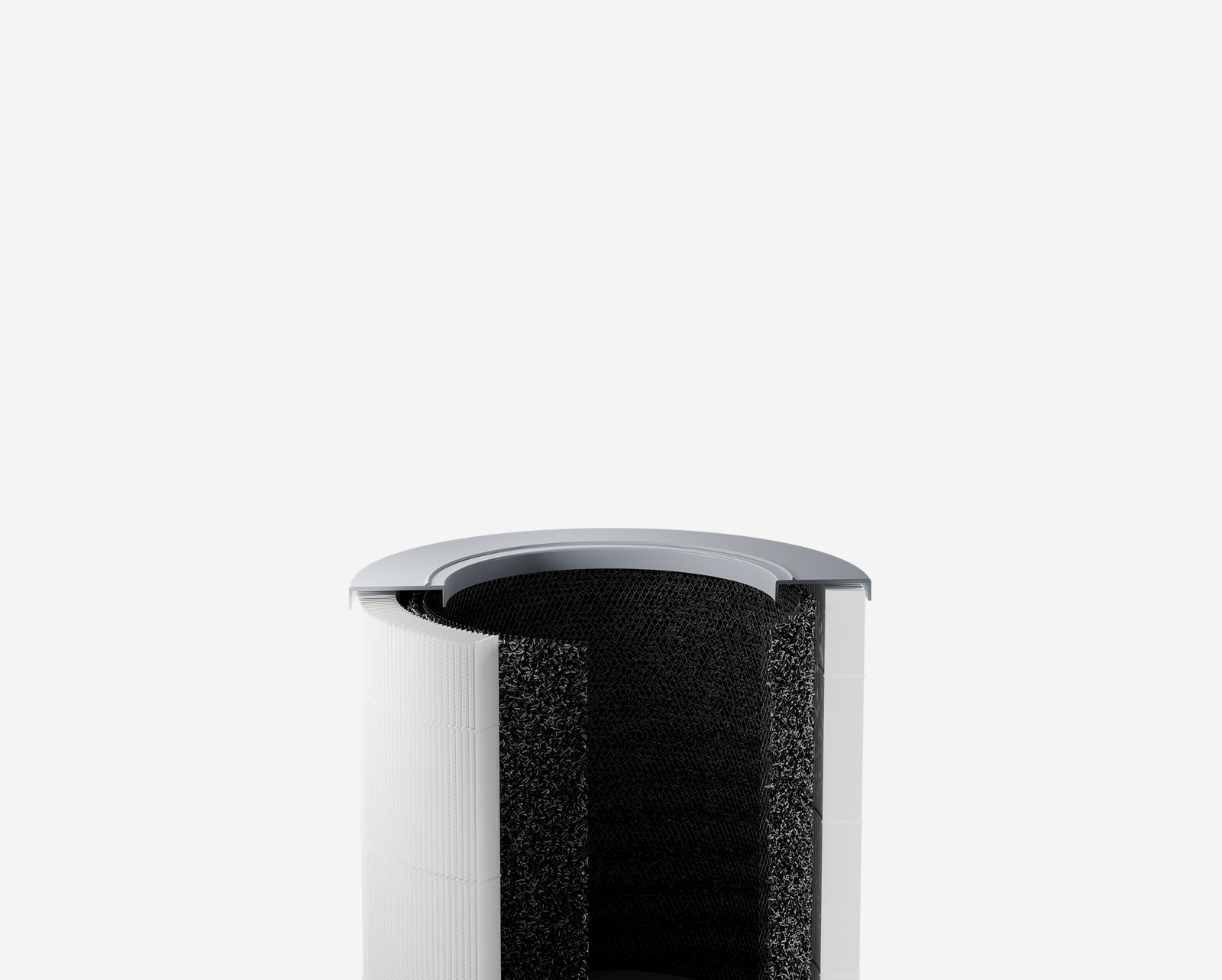
The Mijia pulls air through a filter and pushes it back out cleaner, and it does that well. The cylindrical filter has three layers: a pre-filter for larger dust and pet hair, a HEPA filter for fine particles, and activated carbon for smells.
Xiaomi says it traps 99.97 per cent of particles as small as 0.3 microns, including dust, pollen, smoke and pet dander. It also has TÜV Rheinland Allergy Care certification, which helps if pollen is what sent you shopping in the first place.
Room size and coverage
Xiaomi rates it for 400+ sq ft with a particle CADR of 230 m³/h, based on two air changes per hour. That means it could sit in a drawing room, but I’d keep it in a bedroom or a personal office. In a smaller room it cycles the air more often, which suits a machine this size.
Smoke and odour test
Don’t expect much from the carbon layer. I lit a couple of incense sticks to see how it handled light smoke and smell. The visible smoke cleared much faster than I expected, but the fragrance hung around long after. If strong odours are your main problem, this small filter will let you down.
Auto, Sleep and Manual modes
I left it on Auto for most of the testing, and I’d suggest you do the same. The sensor adjusts fan speed as the air gets dirtier. Sleep Mode switches off the display and is almost impossible to hear. Even with a ceiling fan running, I couldn’t hear it on Auto from two feet away.
Manual Mode lets you set the speed in Xiaomi Home. You can switch to it from the touch panel, but you need the app to decide what it actually does.

Xiaomi Home app and smart features
You can use the purifier without opening the app at all. Tap the controls, pick a mode, walk away. The app is where the “Smart” in the name starts to matter, though. It lets you:
- turn the purifier on when you’re not home
- switch between Auto, Sleep and Manual modes
- set a timer for the hours you want it to run
- dim the lights, mute notification sounds and turn on a child lock that disables the touch controls
- create automations, share access with others at home and check for firmware updates
Alexa and Google Assistant are supported too.
Manual Mode is the best part. You don’t have to guess what “fan speed 3” means, because the app gives you a slider based on room coverage. The purifier remembers your choice when you switch back to Manual from the touch panel.
The weak spot is the air data. The purifier’s page shows a glowing “Good”, while the home screen tile shows a particulate reading in µg/m³. I don’t know why the number is hidden on the page where you’d actually look for it. There’s no history graph either. The app works for control, but it’s thin if you want to see how much difference the purifier has made.
Noise, power use and maintenance
The Compact is best when you forget it’s there. In Auto Mode it ramps up when the air gets worse and settles once it improves.
Sleep Mode is rated at 20dB, and it’s quiet enough to keep beside the bed. Outside Sleep Mode the fan is still well behaved. You’ll hear it ramp up, but it never sounds strained or irritating. If even a tiny LED keeps you awake, turn the lights off.
It’s rated at 27W, so running it for long stretches shouldn’t noticeably dent your electricity bill. Xiaomi says it uses around 0.7kWh over 24 hours at maximum power, though few people will run it flat out all day.
Changing the filter means twisting the base, pulling out the cylinder and slotting in a new one. Xiaomi says the app will tell you when it’s due. Replacement filter pricing and availability will decide the long-term value, and Xiaomi has told us it will keep filters in stock even during peak demand.
Pros and cons
Pros
- ₹7,999 price
- Very quiet, with a 20dB Sleep Mode
- HEPA filter with TÜV Rheinland Allergy Care certification
- Low 27W power draw
- Simple set-up and filter changes
- Useful app controls, plus Alexa and Google Assistant support
Cons
- Carbon layer struggles with strong odours
- App shows no air-quality history and hides the live reading
- No carrying handle
- Better for bedrooms and small offices than large living rooms
Verdict: Mijia Smart Air Purifier 4 Compact Review -is it worth buying?
Yes, if it’s your first purifier. It’s compact, quiet, and simple enough that you can leave it running without checking on it. That’s most of what you want from one.
The filter, app controls, Auto Mode and low power draw make it feel like a proper product rather than a stripped-down way into the category. It also makes sense if you’d rather have separate purifiers in a few rooms than one machine for the whole house.
My complaints are small. The app should show better air data, and the carbon layer won’t remove every strong smell. At ₹7,999, I’d still buy it.